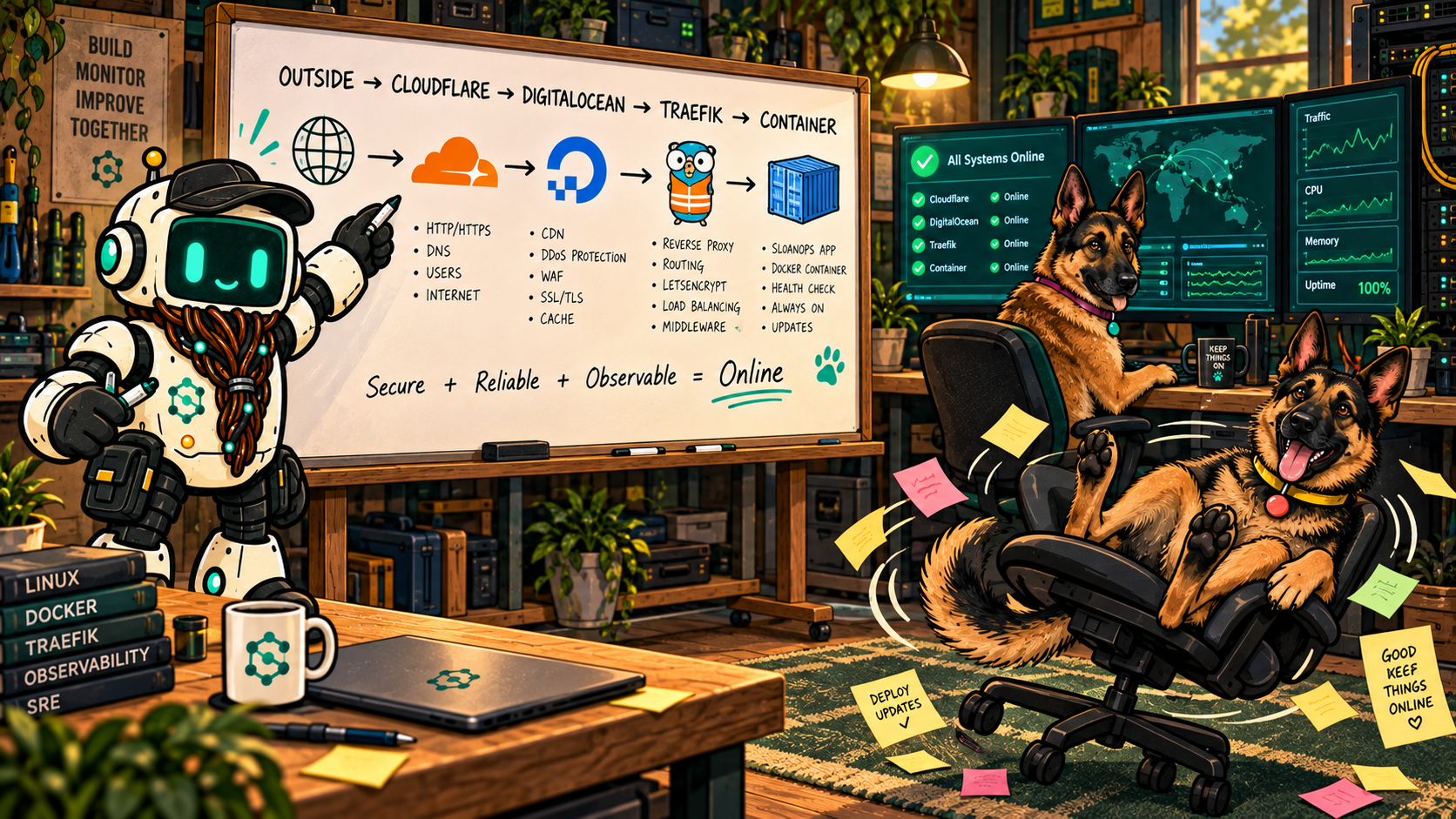
A website feels like one thing when it loads in a browser. Behind the screen, it is a chain of systems with different jobs: the domain points, the edge protects and routes, the server runs services, the application manages content, storage holds media, and monitoring watches the result.
PATCH’S UNDER THE HOOD NOTE
This Field Note explains the public architecture and the reasons for each layer. It intentionally leaves out credentials, private addresses, sensitive configuration, and deployment automation.
A domain is the front door
The domain name is the stable address people remember. It is not the website itself. SloanOps uses Cloudflare to manage public DNS, place an edge layer in front of selected services, support encrypted connections, and provide a clear boundary between visitors and the origin infrastructure.
That separation matters. A domain can stay constant while the system behind it changes. DNS records, proxy settings, and certificate behavior should be documented as their own responsibility instead of being treated as mysterious settings attached to a server.
Compute lives on DigitalOcean
A DigitalOcean Droplet provides the compute layer. In plain language, it is the host that supplies processor time, memory, storage, and networking for the services running on it. Provisioning the host is only the beginning. Access control, operating-system updates, resource visibility, backups, and recovery expectations all need owners.
The useful question is not just, “Is the server running?” It is, “Can we explain what belongs here, update it safely, and recover the important parts if the host disappears?”
Why Docker Swarm is in the stack
Containers package an application with the runtime pieces it expects. Docker Swarm adds a way to describe and operate those services as a group. Instead of manually starting an application and hoping everyone remembers the command, a service definition describes what should run, how it connects, and how updates should be introduced.
Swarm is not magic and it does not remove operations work. It gives that work a repeatable shape. Service definitions can be reviewed, replicas can be managed, and configuration can be separated from application images. Secrets still belong outside public code and outside articles like this one.
Traefik directs traffic
Several services can share the same platform, but visitors still need to reach the correct one. Traefik sits at that routing boundary. It listens for incoming web requests, matches the requested hostname, handles the expected encrypted connection, and forwards the request to the appropriate service.
Keeping routing at this layer makes the platform easier to reason about. WordPress does not need to know how every other service is exposed, and the server does not need a collection of one-off routing rules scattered across unrelated files.
WordPress owns the publishing experience
WordPress is where pages, posts, authors, categories, media metadata, comments, and WooCommerce content become manageable through an editor. That is its advantage in the SloanOps Lab. A person can publish a Field Note, arrange a gallery, update a product, or moderate a comment without rebuilding and redeploying a static site.
It should not be asked to perform every infrastructure job. WordPress manages the content experience. The platform around it handles routing, storage, protection, backups, and monitoring.
Spaces gives media its own home
Images can grow faster than page content, especially on a gallery-driven site. DigitalOcean Spaces provides object storage for media and can serve those assets through a content-delivery path. Offloading media helps keep application storage from becoming the only copy and the only delivery path.
Offloading is not the same as having a complete backup. The database, uploads, configuration, and recovery instructions still need a deliberate plan. A media copy is useful, but it cannot recreate the site by itself.
PING’S LIVE SIGNAL
Uptime Kuma checks the endpoints we configure. It can report whether an address responds, how long the response takes, whether a certificate is nearing expiration, and when a configured check changes state. It does not fill out forms, read a page like a person, confirm that email arrived, or prove every feature works.
The build sequence
- Register the domain and decide who owns it.
- Configure DNS and the Cloudflare edge deliberately.
- Provision compute with documented access and recovery expectations.
- Install the container platform and define services repeatably.
- Configure Traefik routing and encrypted connections.
- Deploy WordPress for content and WooCommerce for the shop.
- Move media to object storage without confusing that copy for a full backup.
- Add backups, monitoring, documentation, and a tested recovery path.
PACKET’S SHORTCUT: IF ONE BOX DOES EVERYTHING, PACKET ONLY HAS TO UNPLUG ONE BOX.
Patch would like the record to show that this is exactly why responsibilities are separated.
What a customer is buying into
The visible result may be a website, but the lasting value comes from clear ownership boundaries. Who controls the domain? Where does content live? What gets backed up? What is monitored? How are updates introduced? What happens when something fails?
A maintainable platform answers those questions without depending on one person’s memory. That is the part customers rarely see and the part that makes the visible site easier to trust.